ACTADRILL Request a demo

Drill compliance for K-12 districts

Every required drill.Logged · Signed · Provable

Your staff log each drill against your state's legal windows. You see every school's standing, and file the report.

Request a demoSee the app

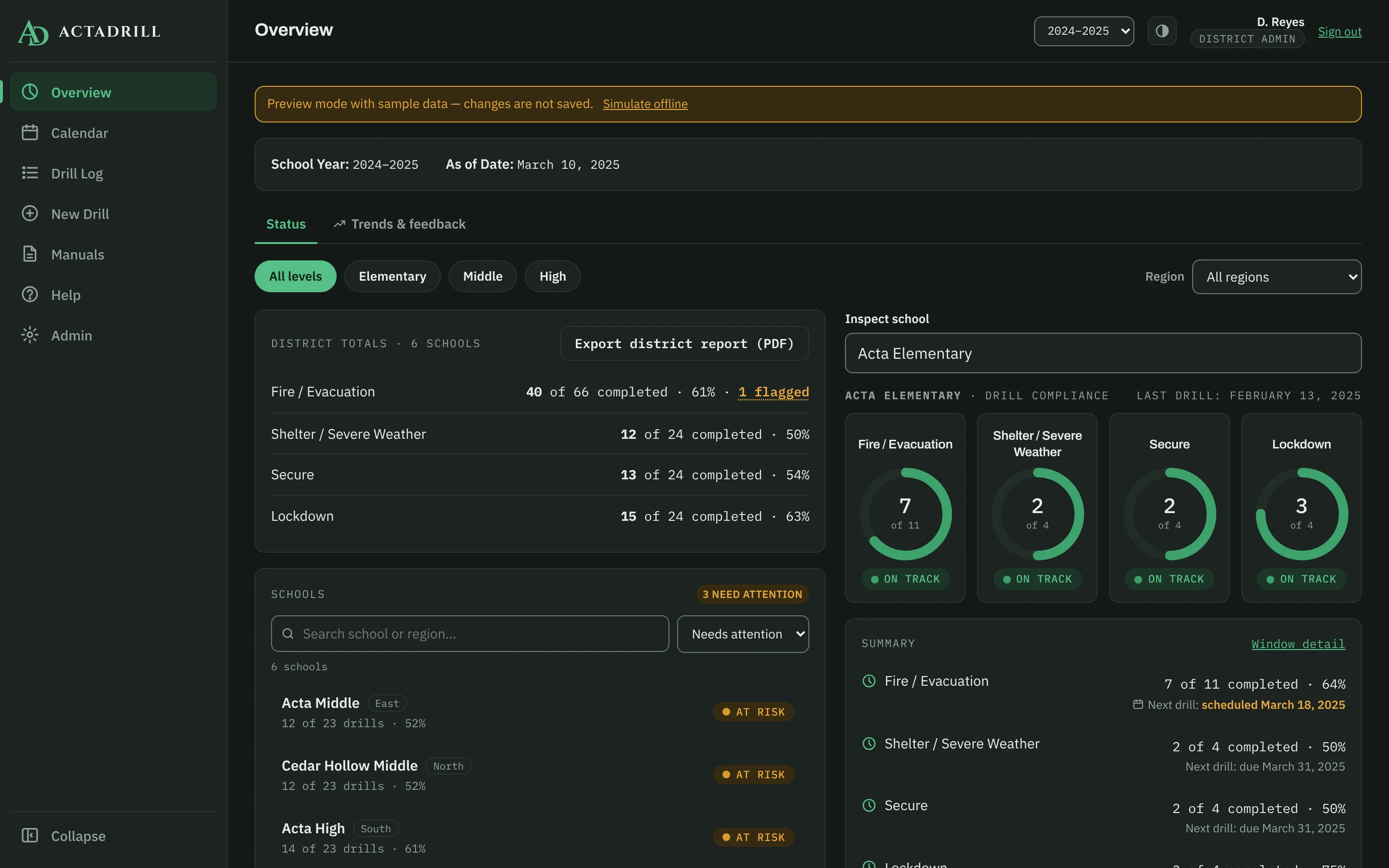
The ActaDrill district overview in dark mode: drill totals across six schools, compliance rings for Acta Elementary, and the schools that need attention listed first.
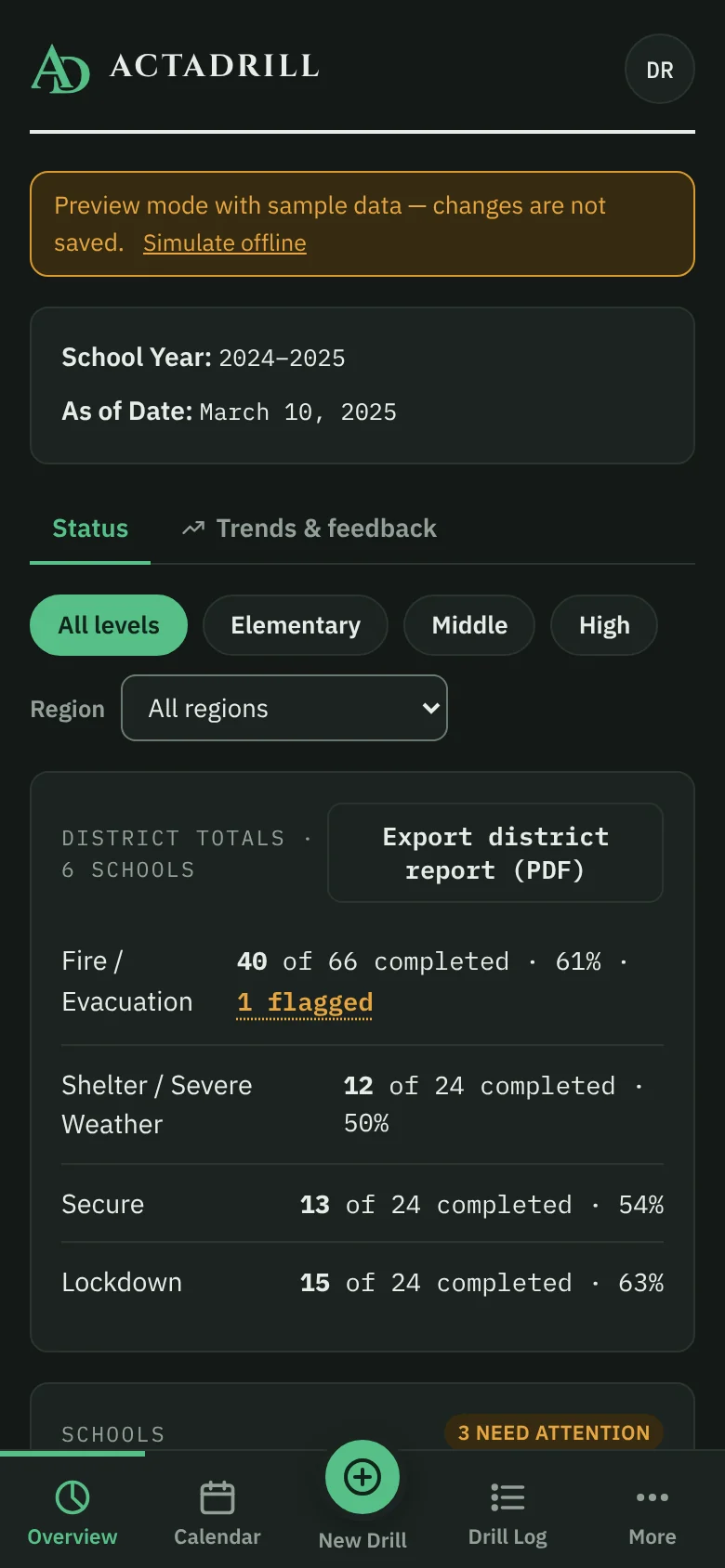
The same app on a phone.

I · THE APP

What your district sees

Real screens from the app, running its sample district. Scroll, or pick a stop.

District overview, zoomed to the district totals for each drill type.
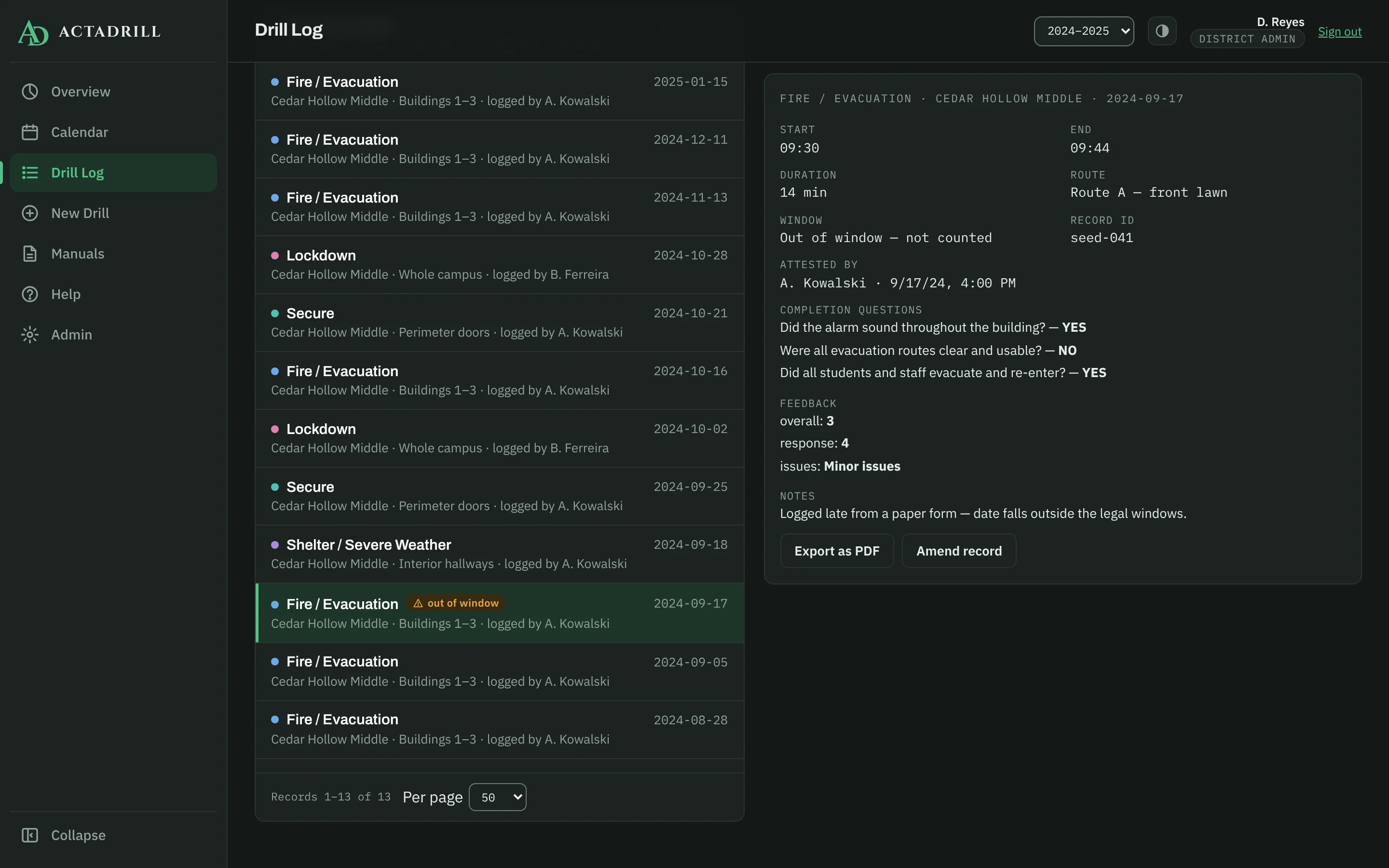
Drill log with a Cedar Hollow Middle fire drill from September 17 flagged out of window and its record open beside it.
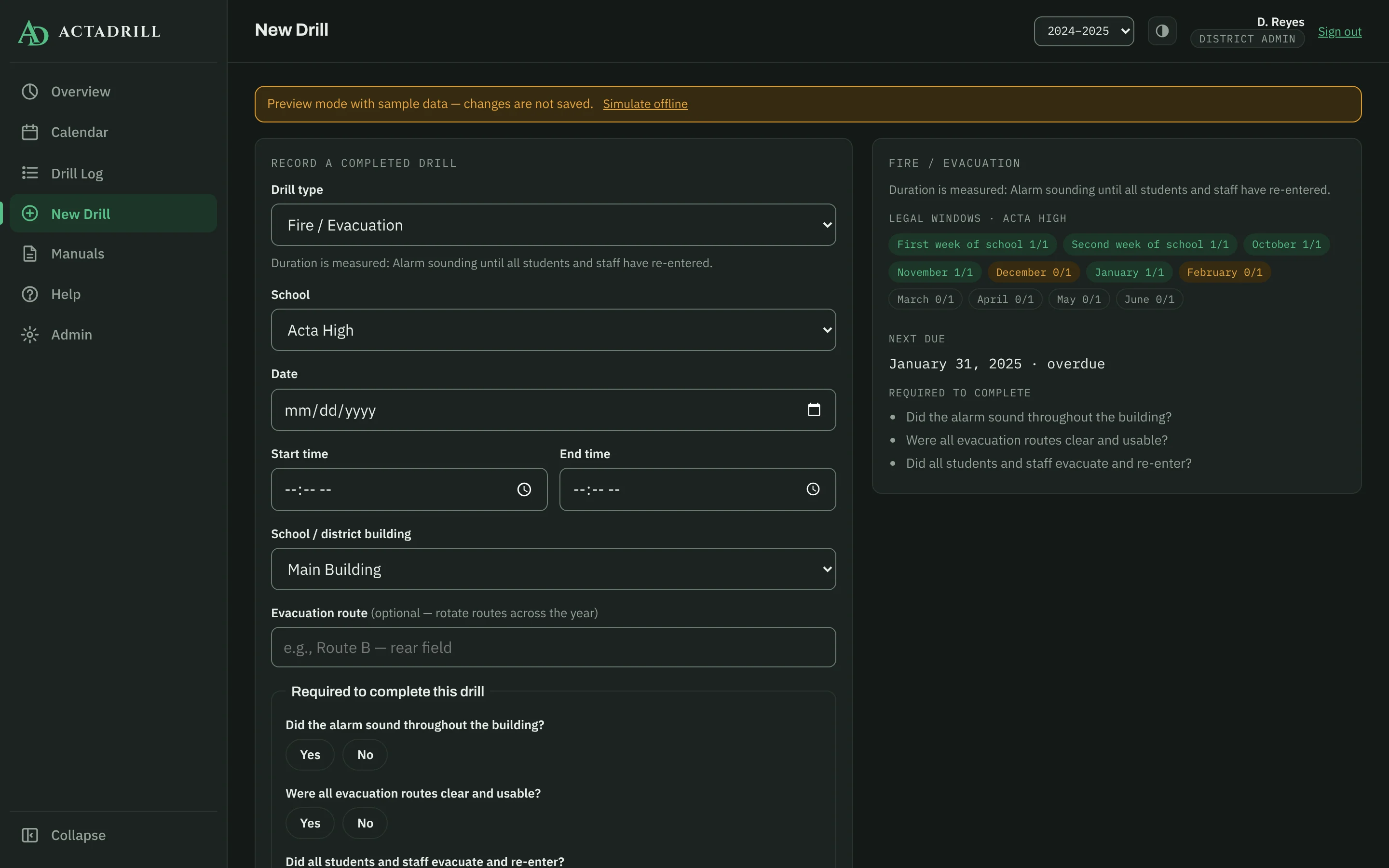
New drill form for a fire drill at Acta High, with the school's legal windows shown as met or open.
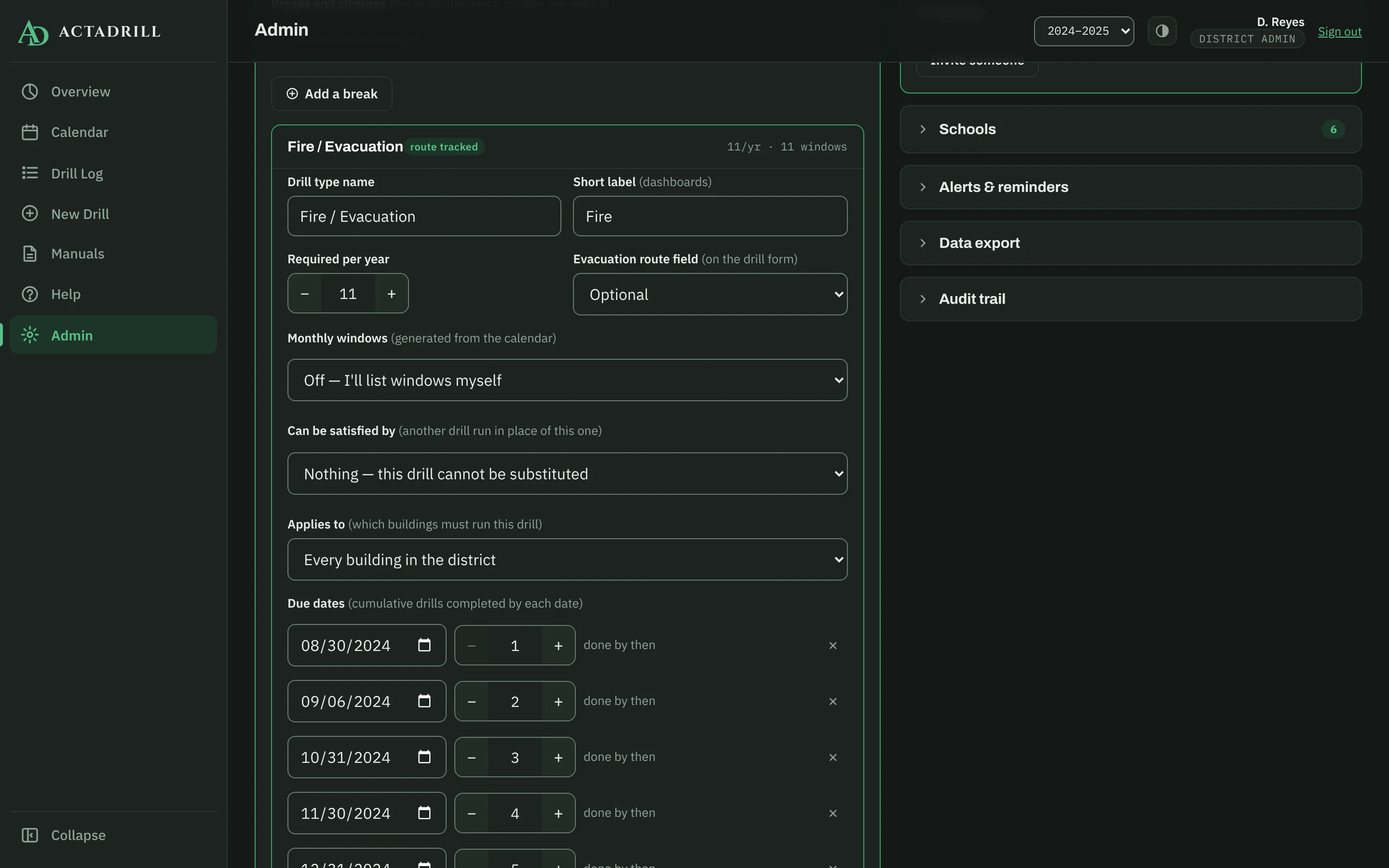
Requirements editor for Fire / Evacuation: substitution and which buildings it applies to.
ActaDrill on a phone, showing a school's compliance.

II · THE COUNT

The count you already keep

Most districts track drills as a total. Eleven required, eleven logged, done.

Your state wrote something stricter. It says when: the first week of school, the second week, then once a month. A drill in the wrong week is still a drill. It just isn't the one the law asked for.

Fire drills, sample school year. A typical tracking sheet.
Drill typeRequiredLoggedStatus
Fire / Evacuation1111Complete

III · THE YEAR

The same year, read the way a reviewer reads it

Sample school year · Fire / Evacuation · 11 legal windows

0/ 11WINDOWS MET
0DRILLS LOGGED

Each window needs one drill. Watch the year fill in.

Move the flagged drill

Window logic runs on this page against the sample data. The app applies the same rule to your state's real schedule.

IV · THE RECORD

A record nobody can quietly change

Staff can't edit or delete a drill once it's saved. A district administrator can correct a few fields, but only with a written reason, and the original value stays on the record.

Every record is signed by the account that saved it, and the server checks that the signer is who they say. Nobody can sign as someone else.

DRILL RECORDacta-elem · 2026-10-08
TypeFire / Evacuation
SchoolActa Elementary
WindowOctober
Alarm10:02
All-clear10:13
All-clear10:21was 10:13
RouteB, rear field
Alarm heard in all areas?YES
All routes clear and usable?YES
Everyone evacuated and re-entered?YES
Attested by M. Alvarez · Oct 8, 10:24 · signer verified Amended Oct 9 by D. Reyes, district admin. Reason: all-clear was entered before the last building reported in.

V · ROLLOUT

Live in days, not semesters

Three steps, all inside the app. No install, no vendor ticket.

  1. Set the rules

    Turn on the drill types your state requires from the built-in library, then set counts, due dates, legal windows, and questions. One settings screen.

    15-type drill library
  2. Import your schools

    One CSV with name, level, region, and buildings covers the district. Then invite staff by email. They sign in with Google or a password, and nobody gets an account without an invitation from you.

    schools.csv · one row per school
  3. Log the first drill

    Staff open it on any phone or laptop, log the drill, and sign it. The district dashboard updates when they save. Everyone gets a walkthrough of each screen the first time they sign in, and administrators get a guided pass through every admin tool.

    Help lives in the app, not a PDF

VI · ANSWERS

Straight answers for your review

What your IT, legal, and safety leads will ask first.

I

No student data

Staff accounts and drill records only. No rosters, no names, no SIS connection, so no student-data agreement to negotiate.

II

Invitation-only sign-in

Google, or email and password. An administrator invites an address, and only that address can claim it.

III

Enforced on the server

Access rules run on the server, not in the browser. Staff see only their own school, whatever a modified browser asks for.

IV

Your data, any time

Export every drill, school, and audit entry as CSV or JSON, whenever you want, without asking us.

V

State templates

Pennsylvania and New York load in one click. Nine more states are researched. Templates are a starting point, not legal advice.

VI

Any device

Any modern browser on the phones and laptops your staff already have. Installs to the home screen. No app store.

VII

Accessible, with a VPAT

Built to WCAG 2.1 AA. We send our VPAT on request, including the parts that only partly conform.

VIII

Nothing gets deleted

Departing staff are deactivated, never removed, so every record keeps naming who logged it.

DELIBERATELY LEFT OUT

Panic buttons911 dispatchVisitor screeningReunificationSIS sync

Those are life-safety systems and deserve their own tools. ActaDrill records, proves, and reports your drills, and runs alongside whatever handles the rest.

Questions districts ask

Anything else, ask us directly.

What does setup involve?

Add your schools and buildings, load your state's template or enter your own rules, then invite staff by email. Staff sign in and start logging.

Do staff need to install anything?

No. It runs in the browser they already have. They can add it to the home screen if they like, and it behaves like an app.

What if there's no signal during a drill?

The drill is saved on the device and queued. It syncs on its own when the connection comes back.

What if our state isn't a template yet?

A district administrator enters the rules in Admin: how many per year, which windows, which buildings, and which drills can substitute. Templates are a starting point, not legal advice.

Who can see which schools?

School staff see their own school. District administrators see every school. The server enforces this, not the browser.

Can we see it with our own schools?

Yes. Request a demo and we'll walk you through it with your schools and your state's rules loaded.

VII · COMPARED

Where ActaDrill fits

Paper & spreadsheets

What most districts use today

  • Cheap, and everyone knows how
  • Counts totals, not legal windows
  • Signatures live in binders
  • The district report is assembled by hand

Safety suites

All-in-one emergency platforms

  • Panic buttons, visitor management, reunification
  • Drill logging is usually one module among many
  • Bought and rolled out as a platform

ActaDrill

One job: the drill record

  • Every drill checked against your state's windows
  • Signed records; corrections keep the original
  • District report from the same numbers
  • Runs alongside your safety system, not instead of it

ACTA EST

Request a demo

Tell us your district. We'll walk you through it with your schools and your state's rules loaded.

Or write to admin@actadrill.com.

REPLY CARD

ActaDrill LLCDrill compliance for K-12 districtsNo student data© 2026